Visual Studio 2022 Designer's Problem With Generic Classes In C#
Working on a WinForms project yesterday (MemphisSharp), I’ve encountered a weird, albeit well-known Visual Studio Designer problem.
I wanted to re-use the DialogSelectTransform component from COMMON_FORMS.
I’m already successfully using in another projects and it works perfectly.
Here it is in action.
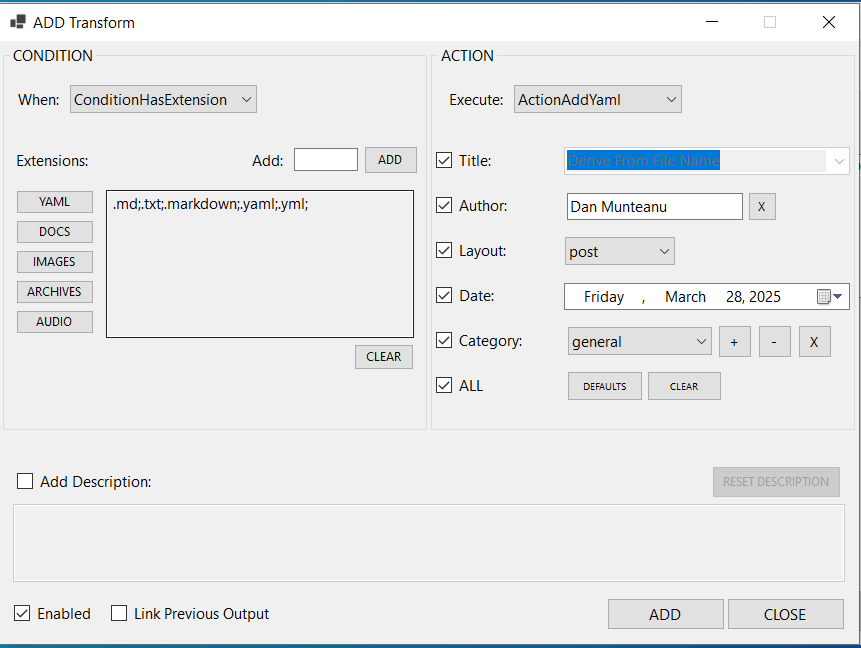
On the left, you configure a condition, (e.g. ConditionHasExtension).
And on the right, you select an action to apply when the condition is met. (e.g. ActionAddYaml to add yaml front-matter data to your files).
This dialog should be re-usable.
And I thought it was.
But, when I wanted to use it with a different set of Transforms, compilation failed.
Why?
Well, in MASS_YAML, I’m adding and editing string transforms - Transform<string>.
And in MEMPHIS_SHARP, I wanted to edit Transform<Token>.
The actual class is generic - Transform<T>
So, I made the dialog class generic:
public partial class DialogSelectTransform<T> : Form
Simple, no?
Wrong:
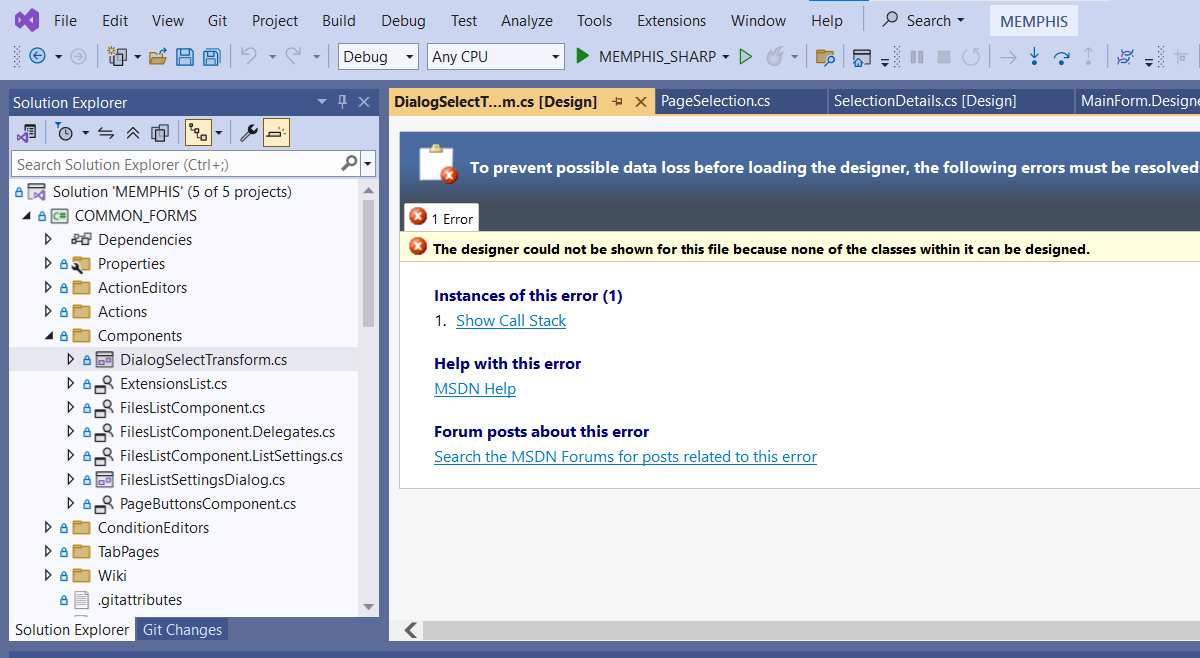
Turns out, the Designer can’t edit generic classes, even if they inherit Form or UserControl.
Bummer.
Now what?
Well, ChatGPT suggested I create a concrete class DialogSelectTransform<string> which inherits from the generic base class DialogSelectTransform<T>.
And that should work.
No, it didn’t. Bad GPT!
Although ChatGPT insisted it should, confidently.
But when I questioned it, it admitted he was wrong.
The approach wouldn’t work. I wonder who feeds it with data, honestly.
And if you question it, it says “you are right, it won’t work”.
Anyways, I can use the dialog with Transform<Token>
But I can’t edit it anymore.
So, I have to find a solution that allows me to still edit the dialog and keep the generic aspect of it.
Honestly, I’m up for the challenge!
Until next time.
Later edit: Apparently, if I remove the generic <T> argument from both DialogSelectTransform.cs and DialogSelectTransform.Designer.cs, the form will load and will be editable. And when I’m done, I just have to add the <T>’s back. Huh.